
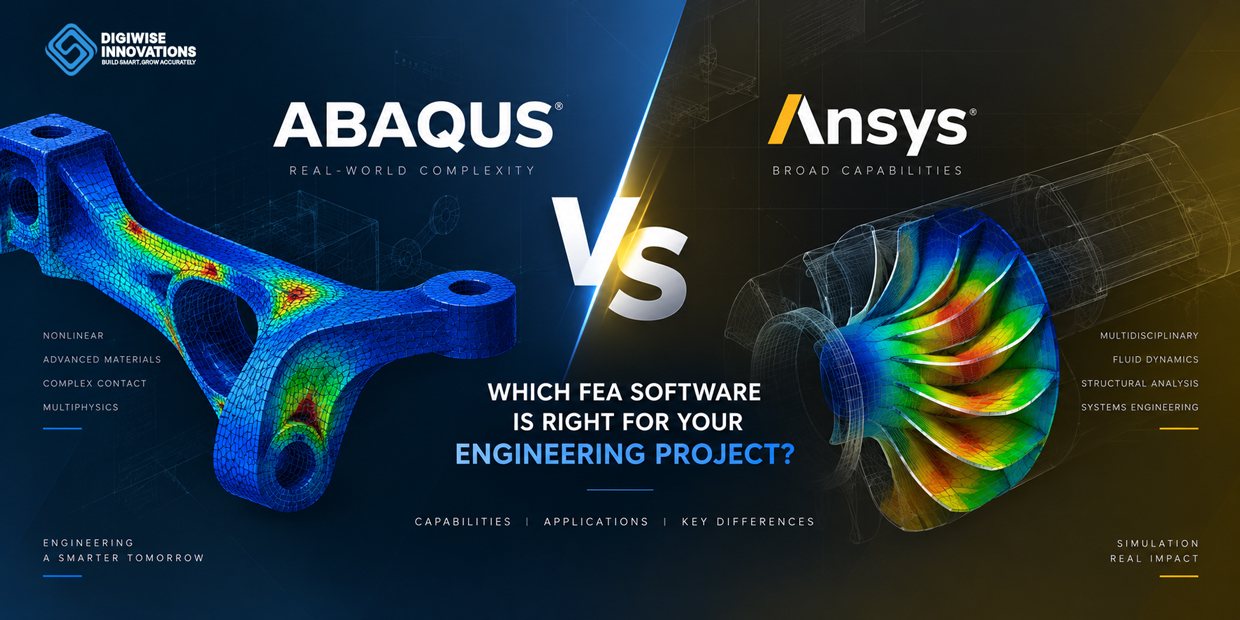
Choosing between Abaqus and ANSYS is not simply a matter of deciding which Finite Element Analysis (FEA) software is more powerful. Both platforms offer advanced simulation capabilities, but their strengths differ across nonlinear analysis, multiphysics, CAD integration, automation, and optimization. In this guide, we compare Abaqus vs ANSYS across the engineering workflows that matter most, helping you determine which platform is better suited to your project requirements.
Key Takeaways
- Abaqus and ANSYS are both advanced FEA platforms, but the best choice depends on the physics and workflow of the engineering project.
- Abaqus is especially strong in nonlinear mechanics, complex contact, advanced material behavior, large deformation, and explicit simulation.
- ANSYS offers a broad simulation ecosystem with strong structural, thermal, CFD, geometry-preparation, multiphysics, and optimization workflows.
- Both platforms support scripting, automation, user customization, parametric studies, and design optimization.
- The software should be selected around the engineering problem—not simply around the longest list of features.
Abaqus vs ANSYS: Quick Comparison
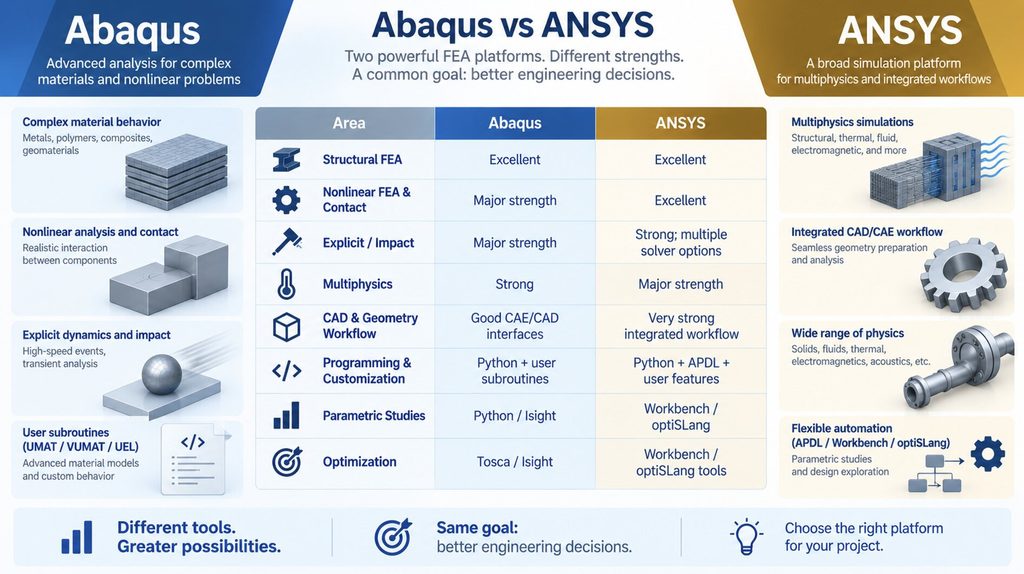
Abaqus and ANSYS are two of the most widely used engineering simulation platforms. Both can solve demanding structural problems, but they approach simulation from somewhat different strengths. Abaqus is often selected for advanced nonlinear FEA and material-driven problems, while ANSYS provides a particularly broad environment for structural, thermal, fluid, and multiphysics workflows.
| Area | Abaqus | ANSYS |
| Structural FEA | Excellent | Excellent |
| Nonlinear FEA & Contact | Major strength | Excellent |
| Explicit / Impact | Major strength | Strong; multiple solver options |
| Multiphysics | Strong | Major strength |
| CAD & Geometry Workflow | Good CAE/CAD interfaces | Very strong integrated workflow |
| Programming & Customization | Python + user subroutines | Python + APDL + user features |
| Parametric Studies | Python / Isight | Workbench / optiSLang |
| Optimization | Tosca / Isight | Workbench / optiSLang tools |
FEA Capabilities: Where Does Each Software Excel?
Abaqus combines Abaqus/Standard for general implicit linear and nonlinear analysis with Abaqus/Explicit for highly nonlinear transient events. Its strengths include complex contact, large deformation, plasticity, damage and fracture, thermal-structural analysis, and advanced material modeling. Abaqus/Explicit is particularly useful for impact, crash, drop, crushing, and other problems involving severe contact or rapid changes.
ANSYS Mechanical also covers a wide range of structural analyses, including static and transient structural response, nonlinear materials, contact, buckling, dynamics, composites, thermal stress, and fatigue-related workflows. The wider ANSYS ecosystem is especially attractive when structural simulation must connect closely with CFD, thermal, electromagnetic, or other physics.
For a routine linear structural problem, either platform can be an excellent choice. The difference becomes more important when the project involves strong nonlinearities, specialized material behavior, complex multiphysics, or a particular company workflow.
CAD Modeling, Geometry, and Multiphysics
Neither Abaqus nor ANSYS should be viewed as a full replacement for dedicated mechanical CAD platforms such as SolidWorks or CATIA. Their geometry tools are primarily intended to prepare engineering models for simulation: importing CAD, simplifying geometry, removing unnecessary features, partitioning regions, and preparing parts for meshing.
Abaqus/CAE provides geometry creation and repair tools together with CAD associative interfaces. ANSYS Workbench includes geometry and CAD interfaces and can connect geometry preparation, meshing, Mechanical, CFD, and optimization in a common project workflow. This integrated environment can be particularly useful when design geometry changes repeatedly during a simulation-driven development process.
Programming, Subroutines, and Automation
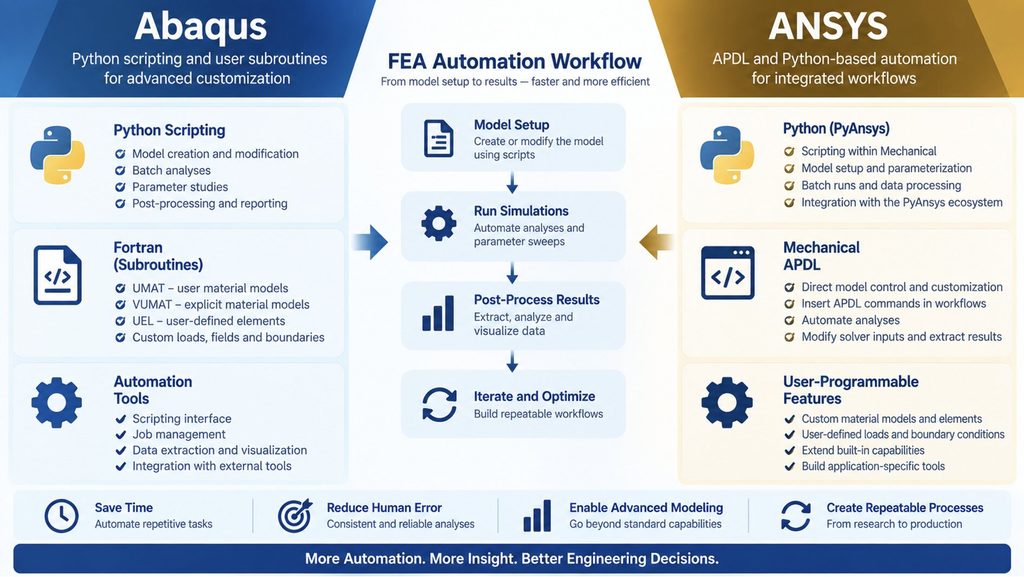
Advanced FEA often reaches a point where the standard graphical interface is not enough. Both platforms provide powerful ways to automate repetitive tasks and extend built-in capabilities.
Abaqus has a mature Python scripting interface for model creation, batch analyses, parameter sweeps, and post-processing. It is also well known for user subroutines such as UMAT and VUMAT for custom constitutive material models, UEL for user-defined elements, and other routines for customized loads, fields, and boundary behavior. This makes Abaqus particularly attractive for research and projects involving specialized material models.
ANSYS supports Mechanical APDL as well as modern Python-based automation within Mechanical and the wider PyAnsys ecosystem. APDL commands can be inserted into Mechanical workflows, while user-programmable features provide additional customization. This combination is useful for automating model setup, modifying solver inputs, extracting results, and building repeatable engineering processes.
Parametric Studies and Design Optimization
FEA becomes even more valuable when engineers move beyond a single simulation. A parametric study can automatically vary geometry, material properties, loads, or other inputs and measure their effect on stress, displacement, temperature, weight, or another performance target.
In the SIMULIA ecosystem, Abaqus models can be automated with Python and connected to Isight for parameter scans, design of experiments, Monte Carlo studies, and optimization. Tosca adds topology and shape optimization capabilities, including workflows that can account for structural nonlinearities.
ANSYS provides parameter-driven workflows through Workbench and optimization and robustness capabilities through tools such as optiSLang. A typical optimization problem might minimize component weight while constraining maximum stress and displacement. In both platforms, the real advantage is the ability to convert simulation from a one-time check into a systematic design decision process.
Design Variables → Automated FEA → Performance Metrics → Optimization → Improved Design
Which Industries Use Abaqus and ANSYS?
Both platforms are used across engineering industries. The choice usually depends more on the required physics, established workflow, and engineering expertise than on the industry name itself.
| Industry | Typical Simulation Applications |
| Automotive | Crash, durability, contact, nonlinear structures |
| Aerospace | Composites, buckling, dynamics, thermal stress |
| Electronics | Thermal-mechanical reliability and packaging |
| Manufacturing | Forming, process simulation, structural performance |
| Energy | Pressure, fatigue, fracture, thermal loading |
| Medical Devices | Contact, materials, structural performance |
| Consumer Products | Drop, impact, durability |
| R&D | Advanced materials, custom models, product development |
Abaqus or ANSYS: Which Should You Choose?
When to Choose Abaqus
Choose Abaqus when the project is dominated by highly nonlinear structural behavior, complex contact, large deformation, advanced constitutive modeling, explicit dynamics, or custom material and element development.
When to Choose ANSYS
Choose ANSYS when a broad integrated engineering environment, strong CAD-to-simulation workflow, structural-thermal-CFD coupling, or multidisciplinary optimization is a major requirement.
However, there is no universal winner. A reliable FEA model depends on more than the solver: material data, boundary conditions, contact definitions, mesh quality, solver settings, and interpretation of results can have a greater effect on engineering value than the software name.
At DigiWise Innovations, we work with both Abaqus and ANSYS and select the simulation environment around the actual engineering problem. The goal is not to force every project into one software package, but to use the most appropriate tools to answer the design question efficiently and reliably.
The best FEA software is the one that best represents the physics of your engineering problem.
Need help choosing the right FEA approach for your project?
Digiwise Innovations provides advanced FEA services using Abaqus and ANSYS for structural, nonlinear, thermal, and multiphysics engineering challenges.
Explore Our FEA Services →
Frequently Asked Questions
Is Abaqus Better Than ANSYS for Nonlinear Analysis?
Abaqus is particularly well known for nonlinear mechanics, complex contact, large deformation, and advanced material modeling. ANSYS also has strong nonlinear capabilities, so the better choice depends on the model, solver requirements, and existing engineering workflow.
Which Software Is Better for CFD?
For projects requiring a broad integrated CFD workflow, the ANSYS ecosystem has a clear advantage through dedicated fluid simulation tools such as Fluent. Abaqus is primarily recognized for structural FEA, although it supports multiphysics and coupled simulation workflows.
Can Abaqus and ANSYS Be Automated?
Yes. Abaqus supports Python scripting and extensive user subroutines, while ANSYS supports Python automation, Mechanical APDL, and user-programmable capabilities. Both can be used for batch simulation, custom workflows, parametric studies, and automated post-processing.
Technical Reference Sources
- Dassault Systèmes SIMULIA — Abaqus, Abaqus/Standard, Abaqus/Explicit, Isight, and Tosca product documentation.
- Ansys — Mechanical, Mechanical APDL, Python Code, Workbench, and optiSLang documentation.